



How to clone/copy OKRs in Profit.co?
Category: OKRs
In Profit.co, you can clone or copy existing OKRs to create duplicates, either as OKRs alone or along with their associated tasks, saving time and effort during OKR planning cycles.
Table of Contents
- What is the Clone/Copy OKR feature in Profit.co?
- What are the Clone options available in Profit.co?
- How to clone/copy OKRs in Profit.co?
- Retaining Modified Planned Check-in Values During Key Result Cloning
- Behavior Comparison: Before vs. After the Update
- Best Practices for cloning OKRs in Profit.co
- Related Questions
- Frequently Asked Questions
What is the Clone/Copy OKR feature in Profit.co?
The Clone/Copy feature in Profit.co allows users to create an exact duplicate of an existing OKR. The cloned OKR retains the structure of the original, including the Objective name and key results, but starts with zero progress, regardless of how much progress the original OKR had achieved.
Note: Even if the original OKR has recorded progress, the progress of the cloned or copied OKR will always start at zero.
What are the Clone options available in Profit.co?
Profit.co offers two cloning options based on your requirements:
| Clone Option | Description |
|---|---|
| Only OKRs | Duplicates the Objective and its Key Results without any associated tasks |
| OKRs with Tasks | Duplicates the Objective, Key Results, and all associated tasks together |
How to clone/copy OKRs in Profit.co?
Follow these steps to clone or copy an OKR in Profit.co:
Step 1
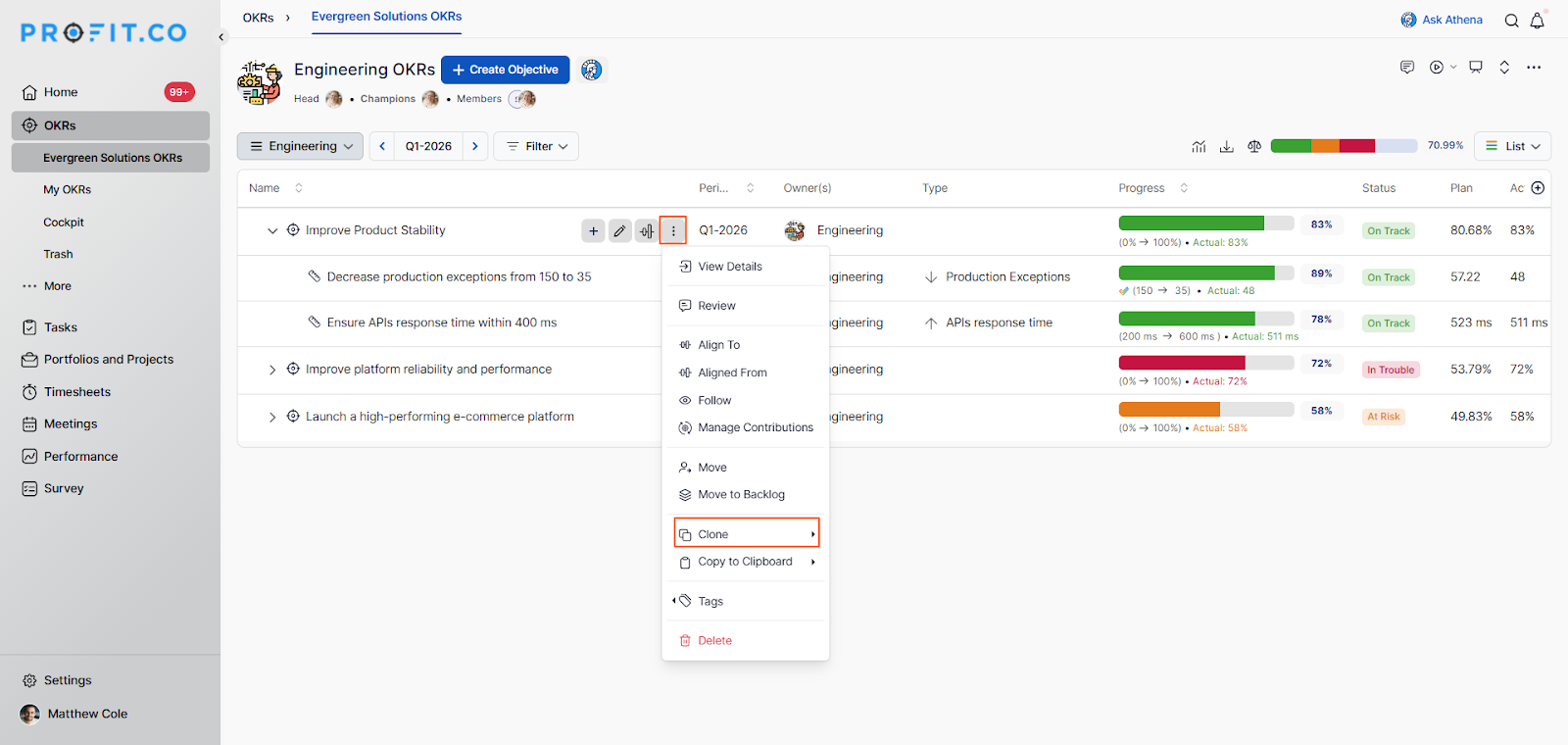
- Locate the OKR you wish to clone.
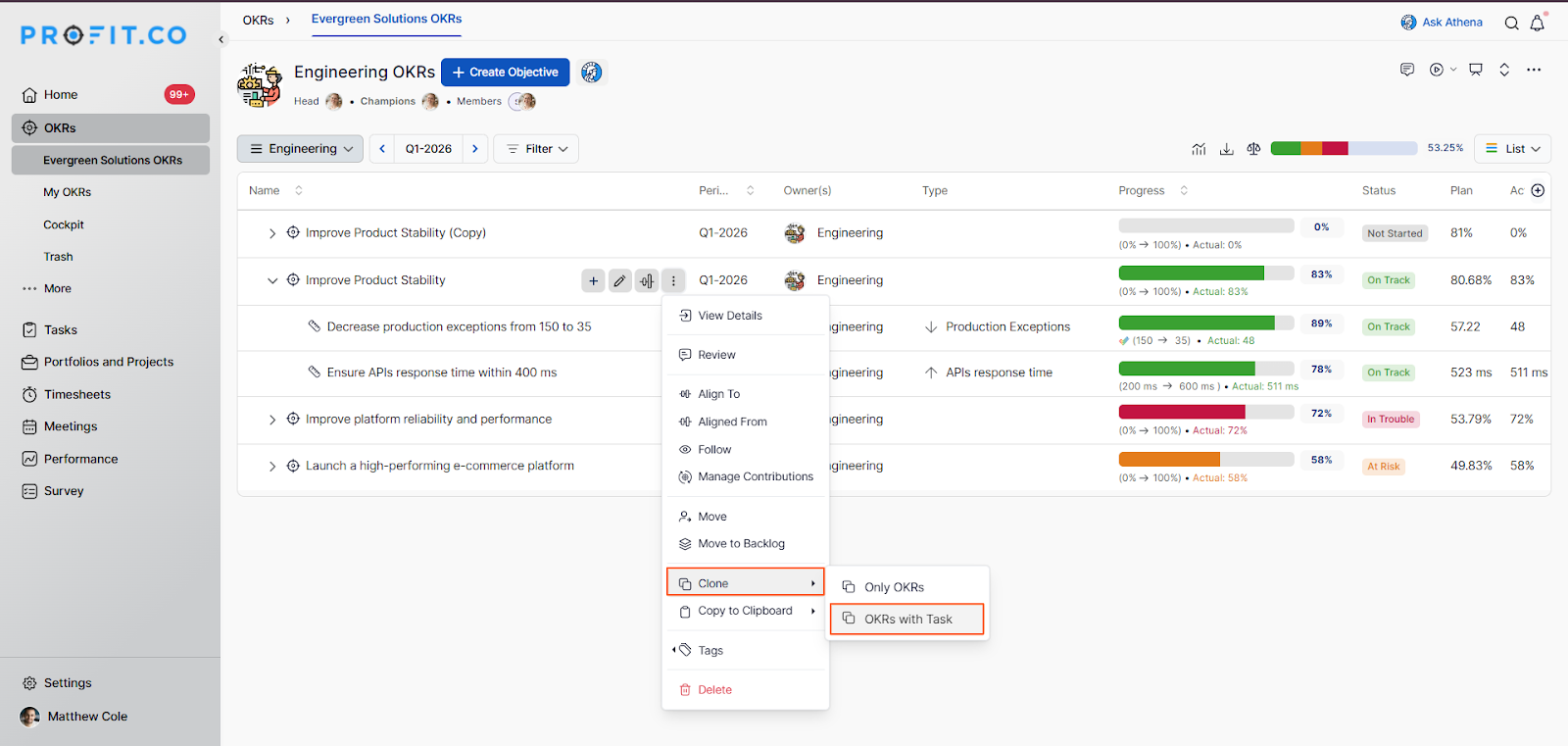
- Click on the More icon (⋯) next to the OKR and select Clone from the dropdown menu.
Step 2
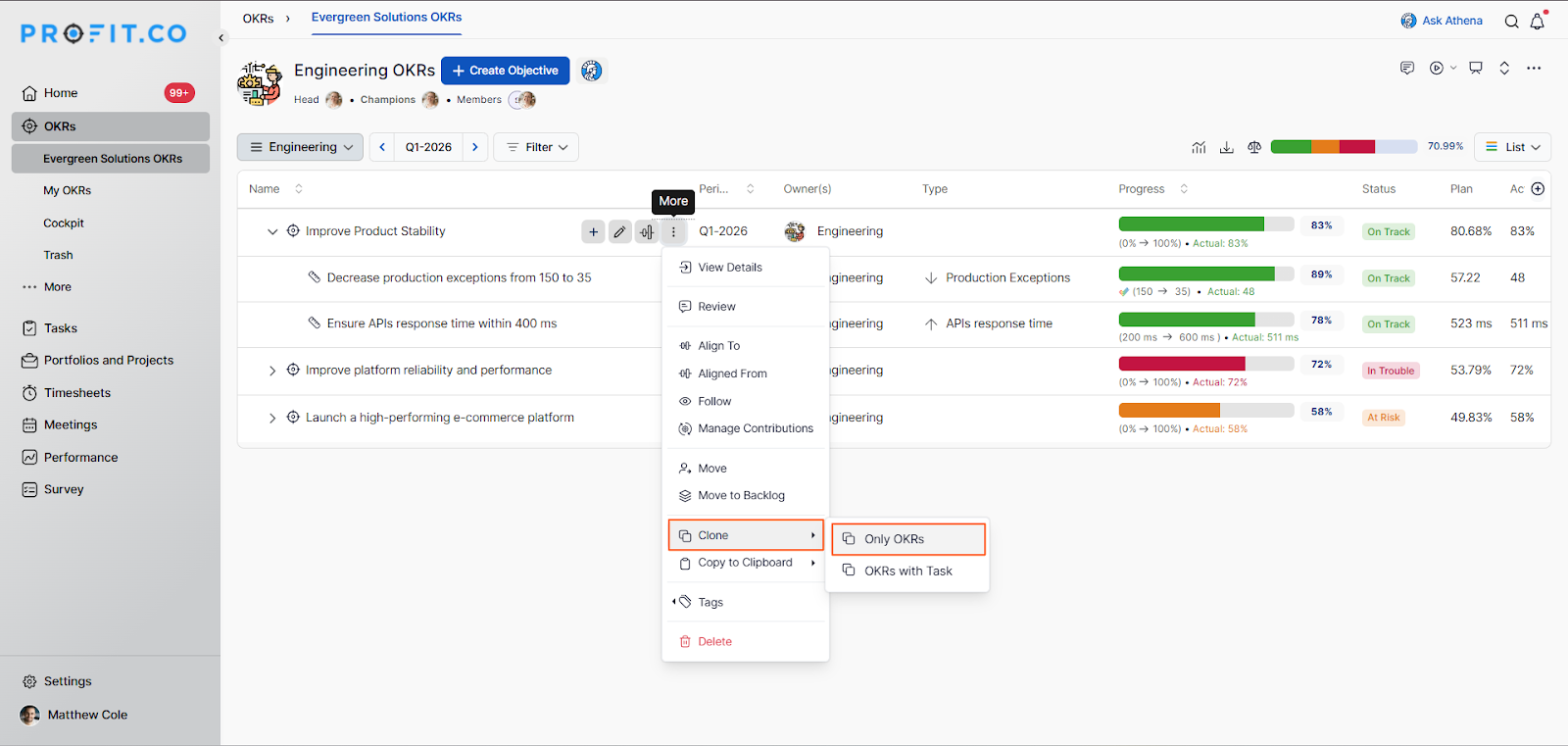
- After selecting the Clone option, a side panel will appear with the available cloning options.
- If you wish to duplicate the OKR structure alone (without tasks), select Only OKRs from the side panel.
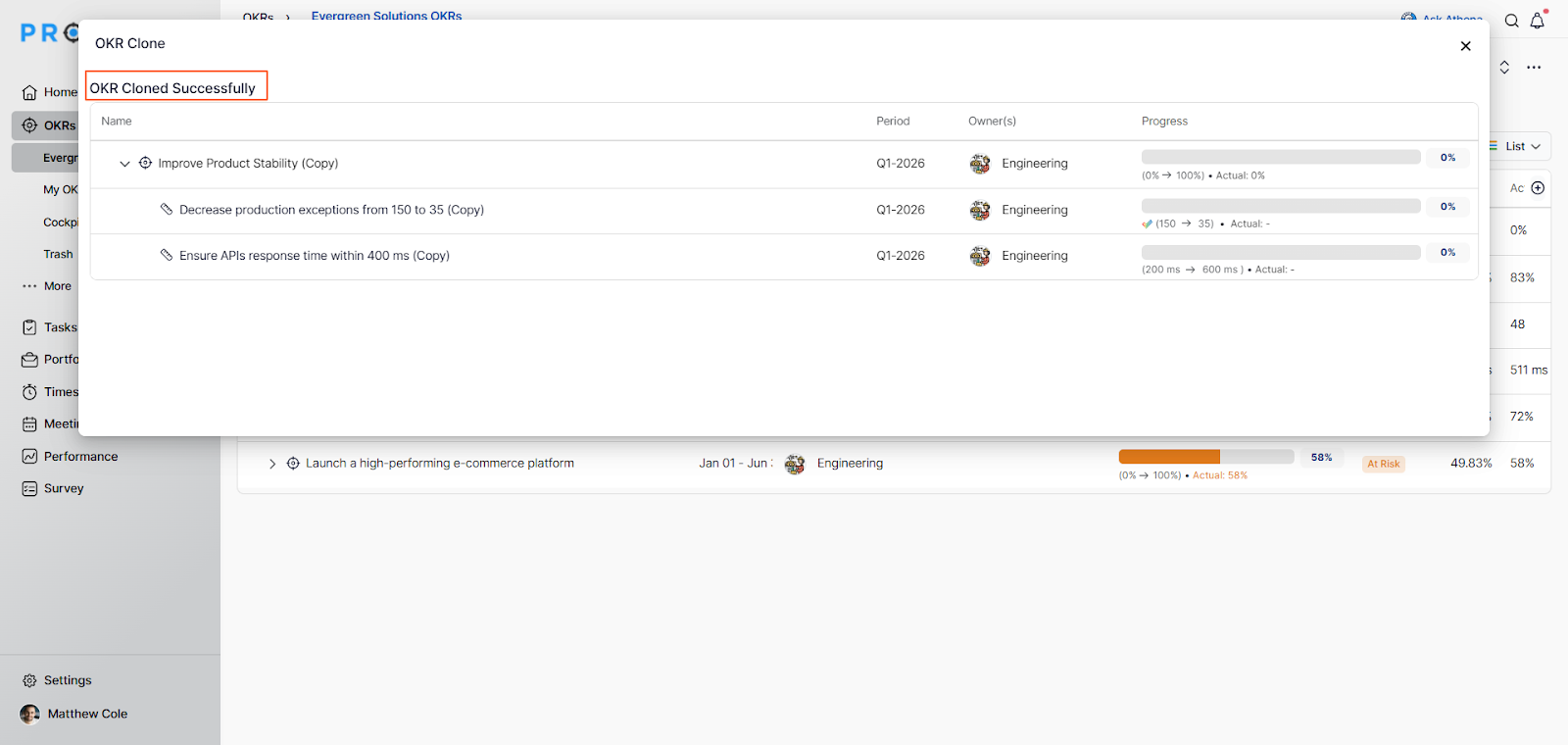
- A pop-up notification will confirm that the OKR has been cloned successfully.
Step 3
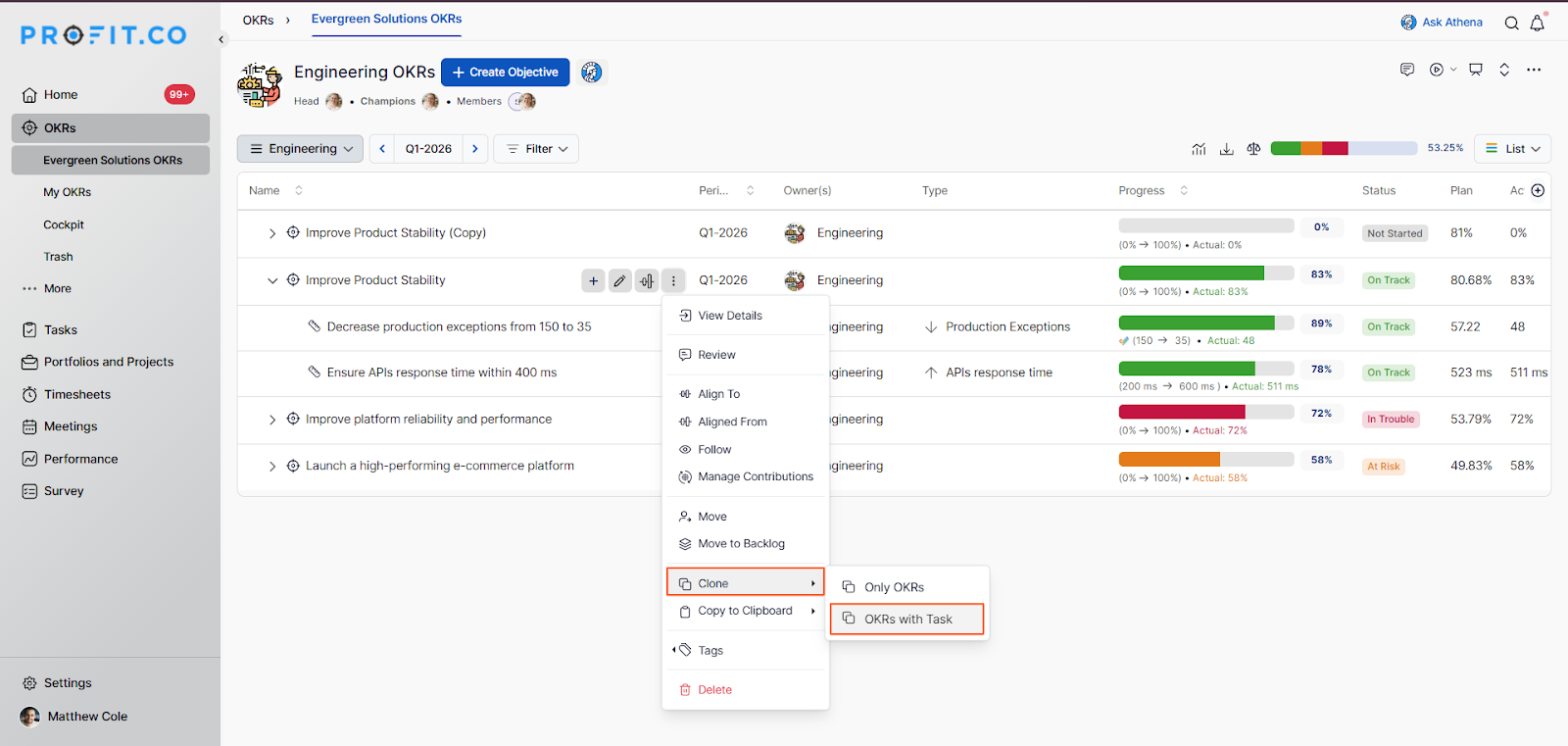
- If you wish to duplicate the OKR along with all its associated tasks, select OKRs with Tasks from the side panel.
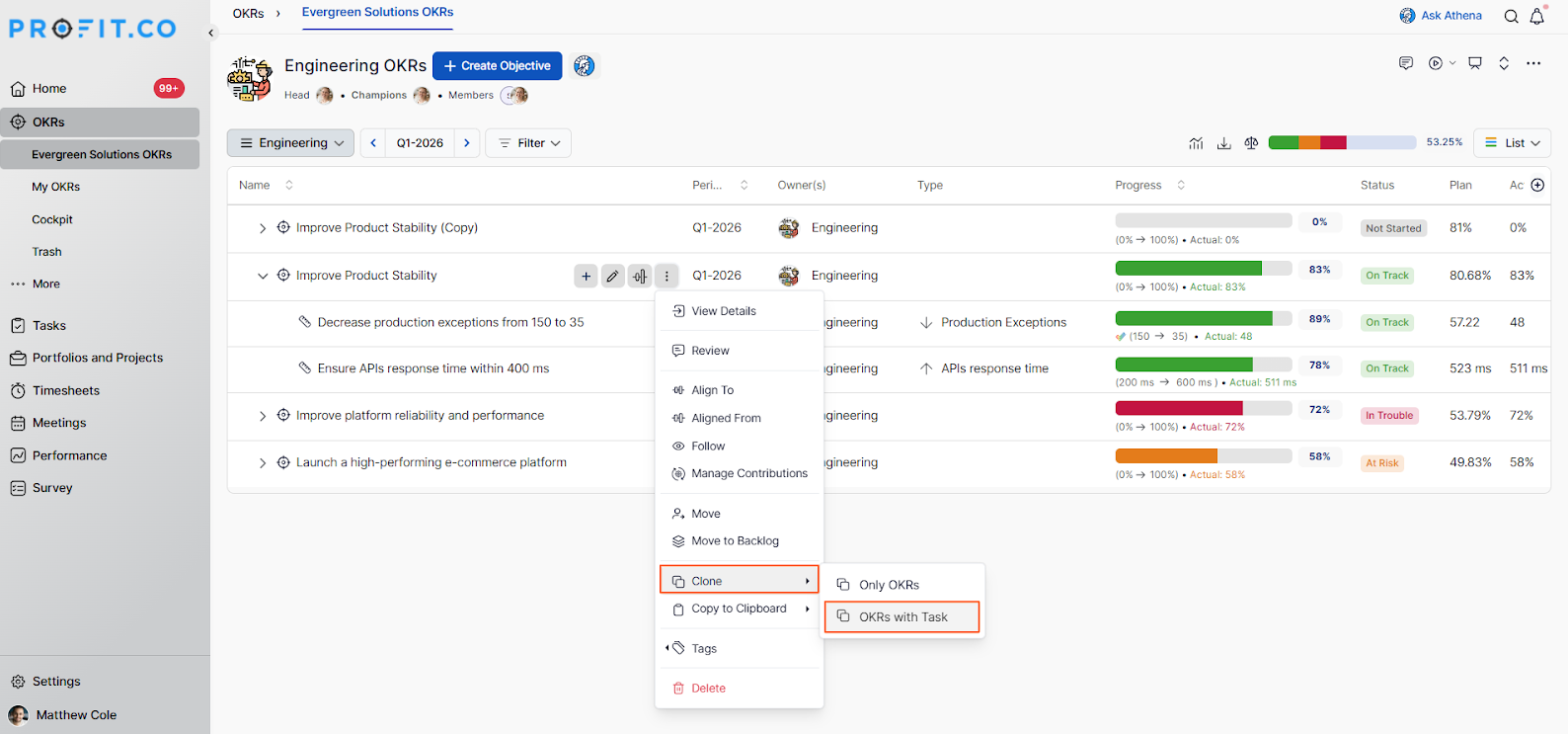
- The OKR will be cloned along with its tasks and will appear on the OKRs List page.
Retaining Modified Planned Check-in Values During Key Result Cloning
The cloning behavior of Key Results has been improved to retain modified planned check-in values. Previously, when a Key Result with updated planned values was cloned, the modified plan was not carried forward, and the cloned Key Result reverted to a fresh state. With this update, any changes made to the planned check-in values are preserved during cloning.
How It Works
Step 1
- Navigate to OKRs → Key Results.
- Perform check-ins and update the planned values as needed.
- Modify the planned trajectory of the Key Result based on actual performance.
Step 2
- Click Clone from the Key Result's More icon (⋯) menu.
- The cloned Key Result will now retain the modified planned check-in values.
Behavior Comparison: Before vs. After the Update
| Behavior | Before the Update | After the Update |
|---|---|---|
| Planned check-in values | Reverted to default values | Retained from modified trajectory |
| Manual reconfiguration required | Yes — user had to redo the plan | No — plan carries forward automatically |
| Cloned KR trajectory | Started fresh, misaligned with actuals | Reflects the adjusted trajectory |
| Continuity of tracking | Broken — plan had to be redefined | Uninterrupted — tracking continues from adjusted plan |
Best Practices for cloning OKRs in Profit.co
- Use the Clone feature at the start of a new OKR cycle to carry forward recurring objectives without manual re-entry.
- Select OKRs with Tasks when the associated tasks are also relevant to the new cycle to preserve full context.
- After cloning, review and update the Objective name, Key Result targets, and owners to align with the new period's goals.
- Use cloning to replicate high-performing OKR structures across multiple departments or teams.
- Always verify the cloned OKR's progress starts at zero before sharing it with the team.
Related Questions
Click here to learn more about how to move OKRs in Profit.co.
Frequently Asked Questions
It creates a duplicate of an existing OKR, including its Objective and Key Results, either with or without associated tasks, starting at zero progress.
No. The progress of a cloned or copied OKR always starts at zero, regardless of the progress recorded in the original OKR.
Profit.co offers two options: Only OKRs (duplicates the Objective and Key Results only) and OKRs with Tasks (duplicates the Objective, Key Results, and all associated tasks).
Related Questions
-
How do I enable and use the status map view in Profit.co?
The Status Map View in Profit.co provides a focused, high-level snapshot of your OKRs by displaying Objectives and Key ...Read more
-
How do I enable and use baseline tracking for projects in Profit.co?
Profit.co's Baseline Tracking feature lets you capture the original project plan and monitor every change made to ...Read more
-
How to Create an Objective in Profit.co?
In Profit.co, users can create Objectives directly from the OKRs module using a quick-form panel, with support for ...Read more
-
How do I define weights for projects in Profit.co?
Profit.co's PPM module lets you control how project progress is calculated, either by distributing weight equally ...Read more