
Hours get logged long after the work
People reconstruct their week from memory on Friday, so the numbers are guesses, not records.
Timesheets
Log hours against tasks and projects, see who is over capacity, and track budget burn. Unlike standalone time trackers, every hour stays connected.

Rated 4.7/5 by 500+ Leaders
Trusted by 1,500+ Organizations worldwide


Problems we solve
Four gaps that cost hours, budget accuracy, and manager visibility every week.
People reconstruct their week from memory on Friday, so the numbers are guesses, not records.
Managers cannot tell who is buried and who has capacity until someone burns out.
Submissions sit in inboxes with no order, so sign-off drags on for days.
Most time tools record hours in isolation, never tying them to the project budgets they affect.
Built for your role
The same live time data, tailored to what each role needs to decide next.
For the Manager / Team Lead, timesheet approvals shouldn’t eat the week.
Analyze task completion patterns.
Central hub for teams and projects.
Configure custom fields and layouts.
For the Finance / Ops Lead, hours logged need to match hours billed.
Track project budgets and spend.
Cost, schedule, and scope in one view.
Compare costs against expected benefits.
For the Individual Contributor, logging hours shouldn’t be a second job.
Personal task and deadline view.
Link tasks and sequence work.
Discuss and collaborate in context.
Core capabilities
Built for project teams that need accurate time data without adding admin work to every person’s day.
Time Entry
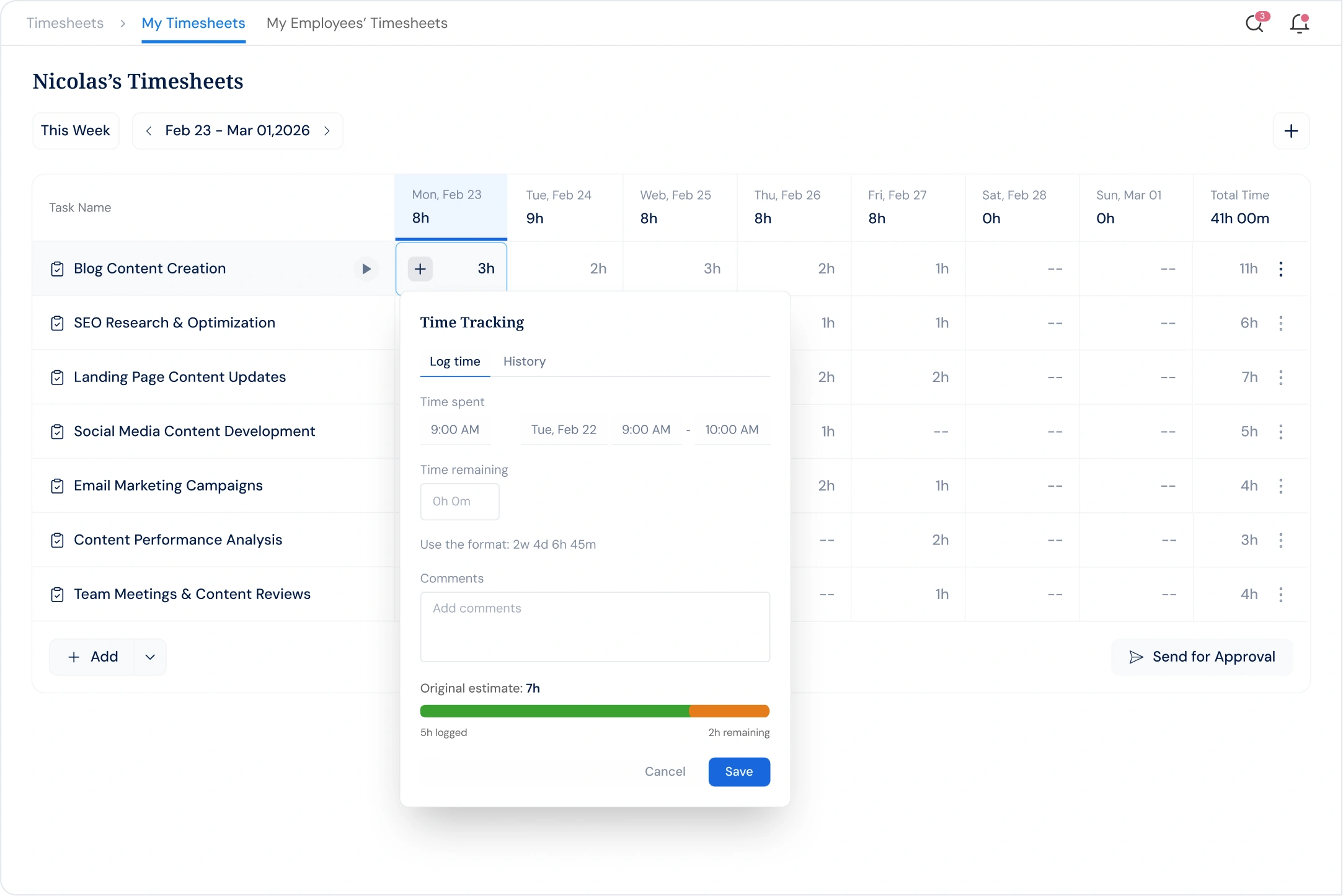
Add time from the same place you track work. Hours attach to tasks automatically, no separate tool, no copy-paste.

Task Sync
Hours logged in Tasks flow into timesheets without any duplicate entry. Both views stay in sync with no manual input needed.

Capacity View
Color-coded bars show overtime, undertime, and standard loads at a glance. Filter by department to act before deadlines slip.

Approval Workflow
Every submission sits in your queue until you act. Review hours against real tasks, then approve or reject with a comment.

Complete feature set
Accurate time tracking, approvals, and budget visibility built for project teams.
See all tasks with daily hour breakdowns in a single grid view
Approve multiple timesheet submissions at once without manual checks
Monitor pending, approved, and rejected timesheets across the organization
Notify employees the moment a timesheet is rejected with manager feedback
Expand any task to see exactly when hours were logged during the week
Access previously submitted timesheets with date ranges and approval status
Filter timesheet views by team or department to spot workload imbalances fast
Compare estimated hours against logged time to catch budget drift early
Track hours by employee, project, and status on a single management screen
Add comments when rejecting a timesheet so employees know what to correct
Flag employees who exceed standard hours with color-coded visual alerts
Pull time entries from tasks automatically so timesheets stay current without manual input
Aggregate individual time logs into project-level totals for budget tracking
Set weekly, bi-weekly, or monthly timesheet cycles to match your billing model
Control who can view, submit, or approve timesheets based on their role
Timesheets Execution Suite

PPM
Log time directly against projects and portfolios as work happens. Know the true cost and effort behind every initiative.

Tasks
Capture hours at the task level for accurate, granular timesheets. Billing and capacity planning rest on real data.
Book a 30-minute demo and see how Profit.co connects time data to tasks, project budgets, and strategic goals.
Customer stories
“We accomplished nearly 90% of our high-level objectives that we set out at the beginning of the year. And these objectives are our direct lead indicators to the success of the business.”

Mark Hudoba
Executive VP · REHAU Building Solutions
“Just in the last year, we saved over $300,000. That made it easy to pitch to the owners to implement OKRs throughout the company.”

Deena Giordano Ullom
VP of People Operations · United Technical Support Services
“After implementing Profit.co, our employee participation in goal setting jumped from 60% to 80%, and review cycles became 40% faster. Leaders now have clear, real-time visibility into progress.”

Suganya R.
Senior HR · Toyota Connected India
“One of the significant benefits we found was reduced time spent on reviews - 75% reduction of time spent in reviews and 84% reduction in time spent in PPTs for Executives.”

Gerardo Haro
CI Manager · Intuitive Surgical
Integrations ecosystem
100+ native integrations with bi-directional sync. Progress in Jira automatically moves OKRs. Slack bots enable check-ins without leaving your workflow.
Browse all 100+ integrations →Enterprise Grade Security
Keep your company’s data secure and compliant with industry-leading security standards and certifications.
SOC 2 TYPE II
ISO 27001
GDPR
HIPAA
FAQ
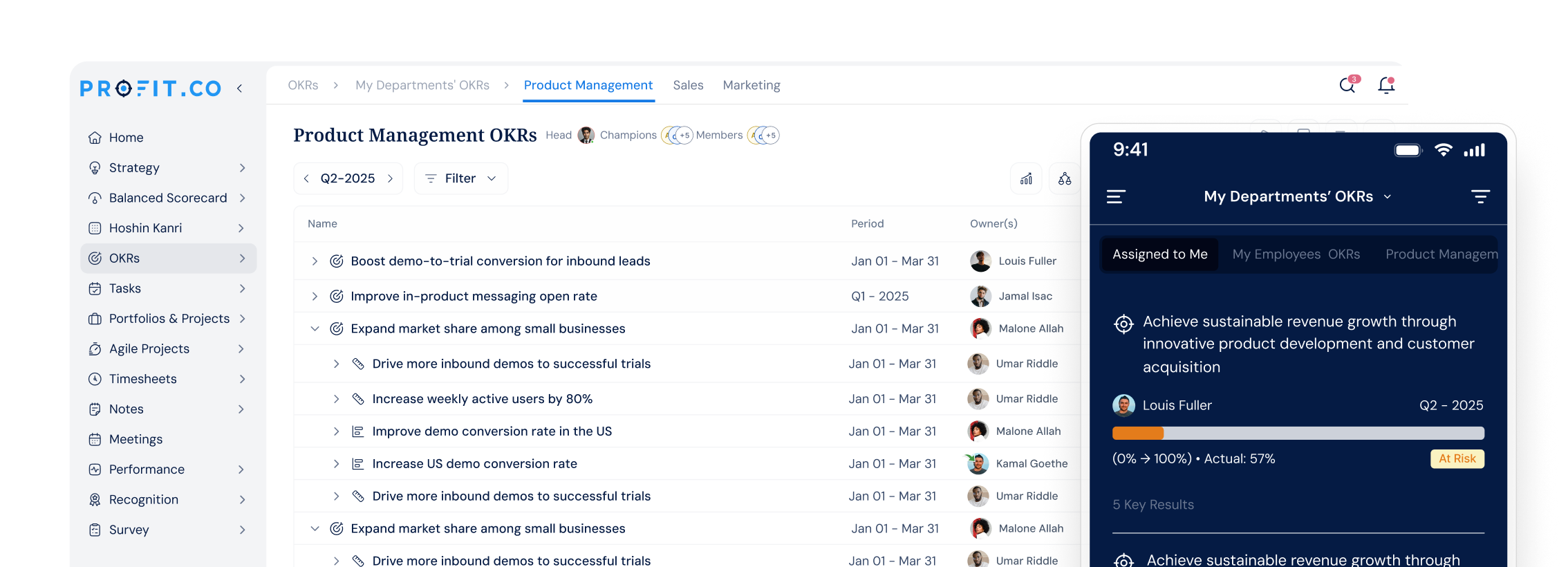
The Timesheets module connects time tracking to tasks, projects, and OKRs in one platform. Employees log hours against real work items, managers approve with one click, and finance teams see live budget burn. Unlike standalone time trackers, every hour feeds directly into your project portfolio dashboards.
Most standalone time-tracking tools record hours but do not connect them to project budgets, task progress, or strategic goals. Profit.co is the only platform where every logged hour updates project portfolio budgets and task completion simultaneously. Teams get time tracking, project governance, and OKR execution in one unified platform.
Most teams are fully up and running with Profit.co within 30 days. Onboarding includes configuration of timesheet periods, approval workflows, and integration setup with your existing tools. A dedicated Profit.co specialist guides the process from day one.
Profit.co connects with 100+ tools including Jira, Microsoft Teams, Slack, Salesforce, Google Workspace, and Azure DevOps. Integrations pull task and project data automatically so timesheet entries stay in sync without manual imports. Visit profit.co/integrations for the full list.
Profit.co is SOC 2 Type II certified and ISO certified with a 99.9% uptime SLA and 24/7 live support. All data is encrypted in transit and at rest. Role-based access controls ensure each person sees only what they are authorized to access.
Yes. Profit.co offers a 30-day free trial with no credit card required. You get full access to Timesheets, Tasks, PPM, OKRs, and all other platform modules from day one. Visit profit.co/pricing to review plan details and start your trial.
Still have questions?
Ask Questions →Ready to transform execution?
Join 1,500+ customers using Profit.co to bridge the gap between strategy and results. Start your free trial — no credit card required.

Welcome to Profit.co 👋
How can I help you today?